One connected platform
Bring sales, purchases, stock and accounting into the same working day.
Bring your invoicing, purchases, inventory and accounting together in one connected platform. Keep your finances organised, understand your business performance and make more informed decisions.
Less switching between tools. More time to focus on the work that matters.
Bring sales, purchases, stock and accounting into the same working day.
Link receipts to invoices and follow the remaining balance without separate lists.
Read receivables, payables and financial reports in one place.
Work in Arabic or English, manage VAT information and access supported ZATCA electronic invoicing workflows.
Explore the tools behind a more organised working day. Availability depends on your plan and permissions.
Create sales invoices, track customer balances and allocate receipts to the right documents.
Explore featuresOrganise your chart of accounts, record journals and review balanced entries.
Explore featuresManage supplier bills, purchase orders and supplier payments in connected records.
Explore featuresReview income, financial position and account movements with the reports available to your plan.
Explore features| Description | Amount |
|---|---|
| Revenue | 24,850 |
| Sample sales | 18,000 |
| Sample services | 6,850 |
| Expenses | 7,200 |
| Net result | 17,650 |
Follow the connection from a document to its payment—without losing the accounting context.
Posting a sales invoice records the receivable. An allocated customer receipt reduces it; collecting a balance does not recognise revenue again.
A posted supplier bill records the payable. The related payment reduces the outstanding supplier balance.
Prepare electronic invoices with VAT details and supported QR codes. Follow FATOORA setup and document statuses alongside your accounting.
Prepare invoices with customer and VAT details, with QR generation and supported PDF and XML document workflows.
Use guided FATOORA onboarding with separate Test and Production settings. Availability depends on your plan and organisation configuration.
View supported Phase 2 submission statuses and retained responses in one place. Final acceptance depends on ZATCA's response.
Keep electronic invoicing connected to your sales, customer records and accounting processes without switching between separate systems.
Turn connected records into a clearer view of your business.
| Description | Amount |
|---|---|
| Revenue | 24,850 |
| Sample sales | 18,000 |
| Sample services | 6,850 |
| Expenses | 7,200 |
| Net result | 17,650 |
| From To | |
| Account | Amount |
|---|---|
| Operating revenue | 24,850 |
4101Demonstration sales | 18,000 |
4102Demonstration services | 6,850 |
| Operating expenses | 7,200 |
5101Office expenses | 4,200 |
5102Operating expenses | 3,000 |
| Net profit | 17,650 |
Review what customers owe and what is due to suppliers.
Read revenue and expenses alongside income and financial position reports.
Review account movements and supporting records with the appropriate permissions.
A practical workspace for the people behind the numbers.
A bilingual experience with right-to-left Arabic and English interfaces.
Access Goqawaem online, with authenticated access and role-based permissions.
Move between business documents and financial records in the same platform.
Give colleagues the access they need while keeping responsibilities and business information organised.
From everyday accounting to growing financial operations, explore plans designed around the way your business works.
Capabilities vary by plan. The catalogue confirms availability and limits.
AI-generated portraits and fictional first-person scenarios. These are illustrative examples, not verified customer reviews.
Movement pauses on hover or focus. Press Escape to stop or resume automatic movement. Use the arrows to browse.
 Retail
I check our sales and stock together in Goqawaem before deciding what we need to order next.
 Restaurants
Between supplier invoices and daily expenses, I need our restaurant's records together so nothing gets overlooked.
 Real estate
When a customer asks about an outstanding invoice, I can find their balance and the original document together.
 Construction
I keep purchase invoices and business expenses in Goqawaem, so I have the records ready when reviewing our costs.
 Healthcare
I keep the clinic's supplier bills and operating expenses organised, then review the figures without searching through separate files.
 Technology
I used to check several places for our expenses; now I review our financial records in one workspace.
 Professional services
I follow issued invoices alongside customer balances, which helps me see what still needs following up.
 Logistics
With supplier bills arriving throughout the week, I like having purchases and outstanding balances together when planning payments.
 E-commerce
As sales come in, I check recorded payments, customer balances and stock before deciding what needs my attention.
 Manufacturing
Before we buy more materials, I review our stock records and supplier balances to see what we already have and owe.
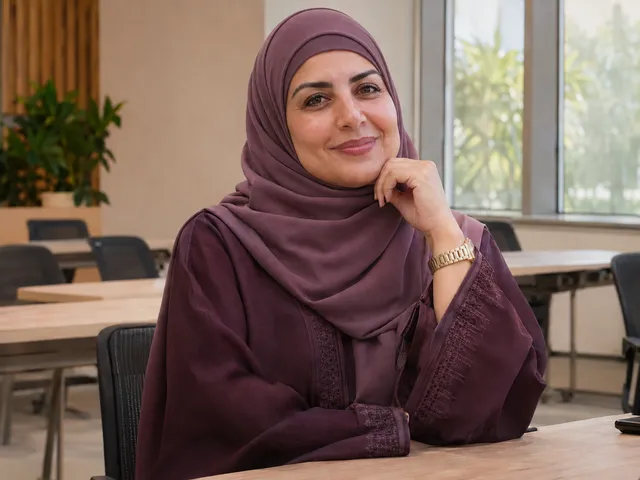 Education & training
I give colleagues the access they need for invoices, while keeping our accounting responsibilities clear across the team.
 Hospitality
I record our regular expenses and review financial reports, so we can discuss the business using the same figures.
 Consulting
When preparing a client's invoice, I want the customer details and VAT information in the same accounting workflow.
 Automotive services
When a customer calls about a service invoice, I can check the invoice and their remaining balance together.
 Wholesale distribution
I review purchasing records with our stock and supplier accounts, especially when several deliveries arrive in the same week.
Clear answers before your next step.
Goqawaem brings accounting, sales, purchasing, inventory and financial reports into one online workspace, with Arabic and English interfaces and team permissions.
Yes. Goqawaem includes electronic invoice preparation, VAT information, supported QR generation and ZATCA integration workflows. Available capabilities depend on your plan and organisation setup.
Phase 2 connects an electronic invoicing solution to ZATCA's FATOORA platform and adds document and integration requirements. Goqawaem implements supported reporting and clearance workflows; your organisation's requirements should be checked against current ZATCA guidance.
Goqawaem includes guided FATOORA onboarding and connection management. Production use requires separate organisation onboarding and activation. Live operations have not been externally verified for Goqawaem; technical support is not government certification.
Test is for checking your setup with test documents. Production is for real submissions after the required onboarding and activation. The two connections are configured separately; a working Test connection does not establish Production acceptance.
Yes. Supported invoicing workflows include VAT details and QR generation. QR content and document requirements depend on the invoice type and configuration. This does not guarantee that every document will be accepted by ZATCA.
Compare the current subscription catalogue for prices, billing periods, limits and included capabilities. Availability, including electronic invoicing workflows, depends on the selected plan.
Explore the available plans or open the registration page. You can review the interface in Arabic or English before choosing the setup that suits your business.
Your next working day can start with a clearer view of your numbers.